Conversations
Every chat session your users have with the assistant is stored here — until the project itself is deleted. Use this page for AI quality spot-checks, debugging problem sessions, and finding gaps in your documents or tools that prompt revisions.
What’s Stored
Each conversation keeps the full transcript, the runtime context the SDK sent, and the messages exchanged. There is no separate retention setting per conversation — they live as long as the project does.
Anything you put in context is persisted with the conversation and visible to anyone with project access. The Context guide’s privacy guidance (no passwords, tokens, full payment details) applies here directly.
Filters
- Search — free-text search across conversations.
- Custom metadata filters — key/value filters against
contextfields. - Platform — Web or App.
- Source — production traffic vs. Qafka’s own demo surfaces (defaults to showing all).
- Sub-projects — for a parent project, scope the list to parent + sub-projects combined (the default), the parent only, or one specific sub-project.
- Bookmarked only / Bookmarked first — filter or sort by bookmark status.
- Category — filter by bookmark category.
Bookmarks
Bookmarking pulls a conversation into one of eight fixed categories: Wrong Answer, Unanswered, Knowledge Missing, Inappropriate, Bug Report, Feature Request, Great Example, Follow Up. You can attach an optional note (up to 500 characters). Bookmarks don’t change conversation behavior — they only affect findability, and are useful for weekly QA review buckets or escalation candidates.
Conversation Detail
Selecting a conversation shows:
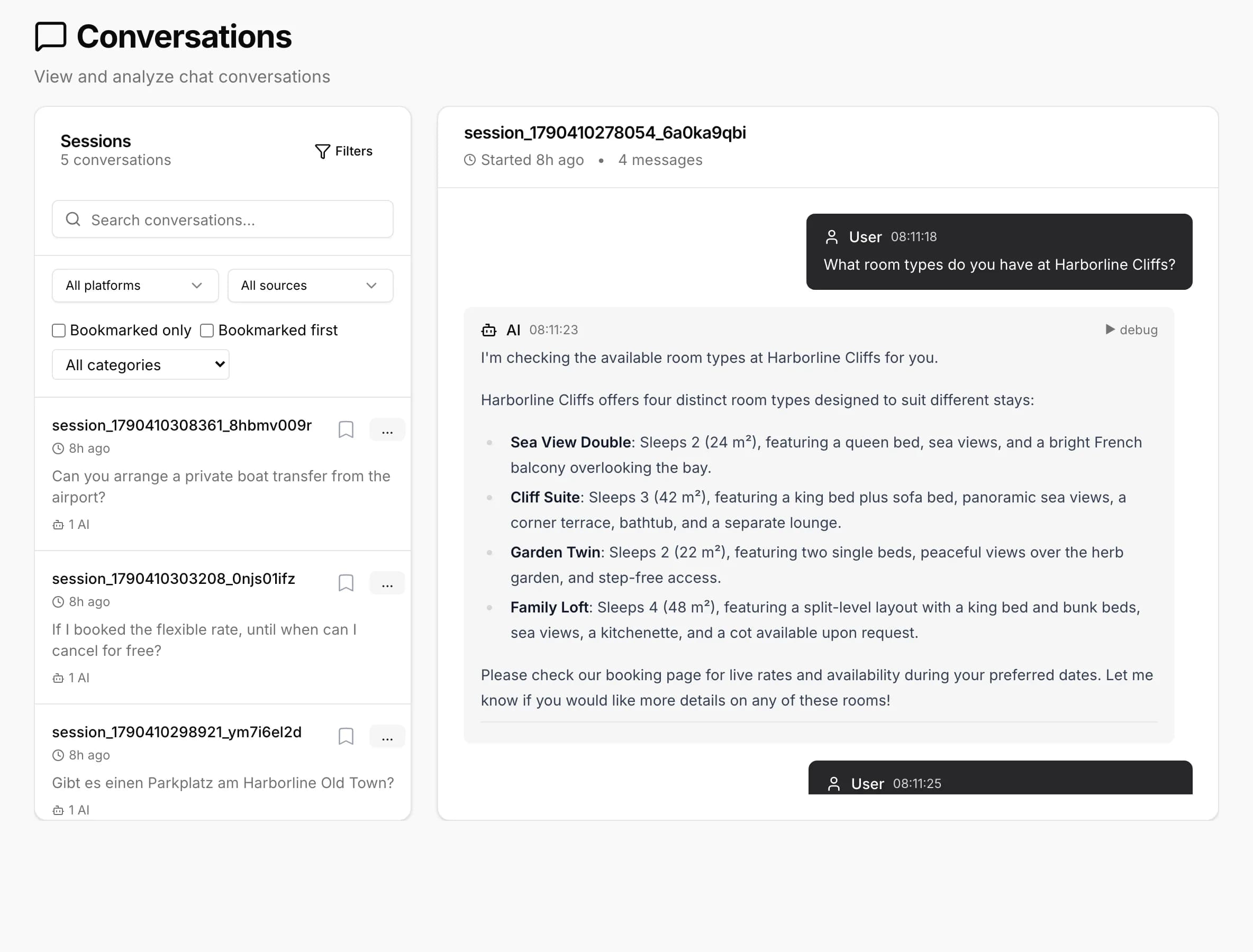
- End User card — the
endUserIdthe SDK sent, plus anyendUserDataprofile fields. Shown whenever either is present. - Session Context — the full runtime
contextthe LLM saw, as a collapsible JSON block. - Per-message debug — for assistant replies, an expandable panel showing the rewritten search query, matched documents with relevance scores, matched tools, and any navigation suggestion with its confidence score.
Conversations can’t be deleted individually from the dashboard.