Chat Theme
The visual editor for the chat widget’s colors, spacing, typography, and branding. Anything you set here is loaded automatically by the SDK on init — no code changes needed in the partner app. The page has two tabs, since the App SDK and the Web SDK render with different technology and need separate controls: App SDK and Web.
App SDK Tab
Edit Light and Dark mode independently (a toggle switches which one you’re editing), covering:
- Container — background color, padding.
- User Message / AI Message — bubble background, text color, border radius, padding, margin, max width.
- Input Area — background, text, border, border radius, padding.
- Send Button — background, text, border radius.
- Typography — font size, font weight, line height.
A live preview panel on the side reflects your changes with a sample conversation as you edit. Export / Import let you save the full theme (light + dark) as a JSON file and load it back, e.g. to copy a theme between projects; Reset restores the built-in default for the mode you’re editing.
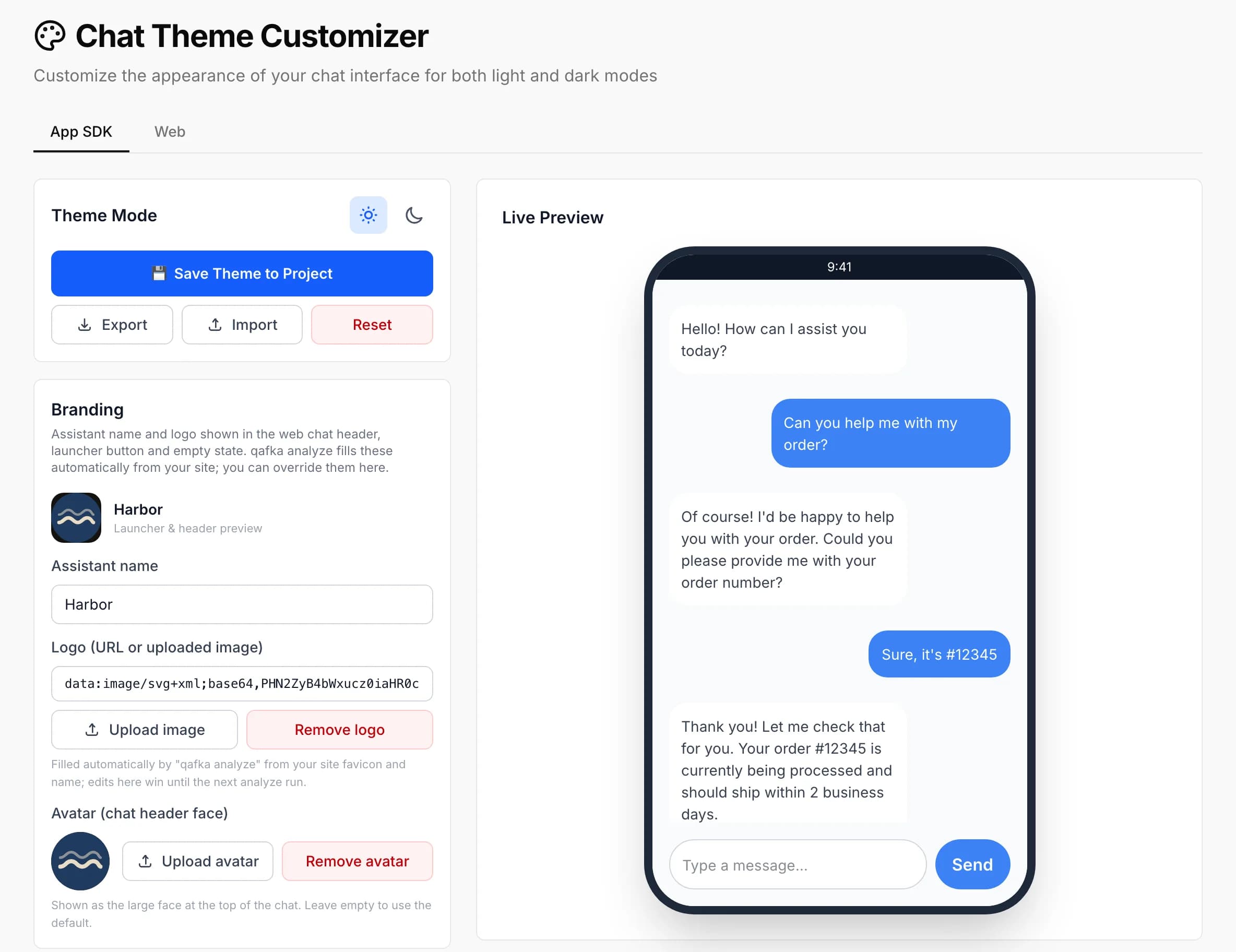
Branding
A separate Branding section sets the assistant name and logo shown in the widget’s header, launcher button, and empty state, plus an avatar image shown as the large face at the top of the chat. qafka analyze --web fills the name and logo automatically from your site’s favicon and title; anything you set here overrides that until the next analyze run.
Branding lives on the App SDK tab, but it’s consumed by the web widget only — the React Native SDK doesn’t read it, so it has no effect on a mobile app’s chat screen.
Web Tab
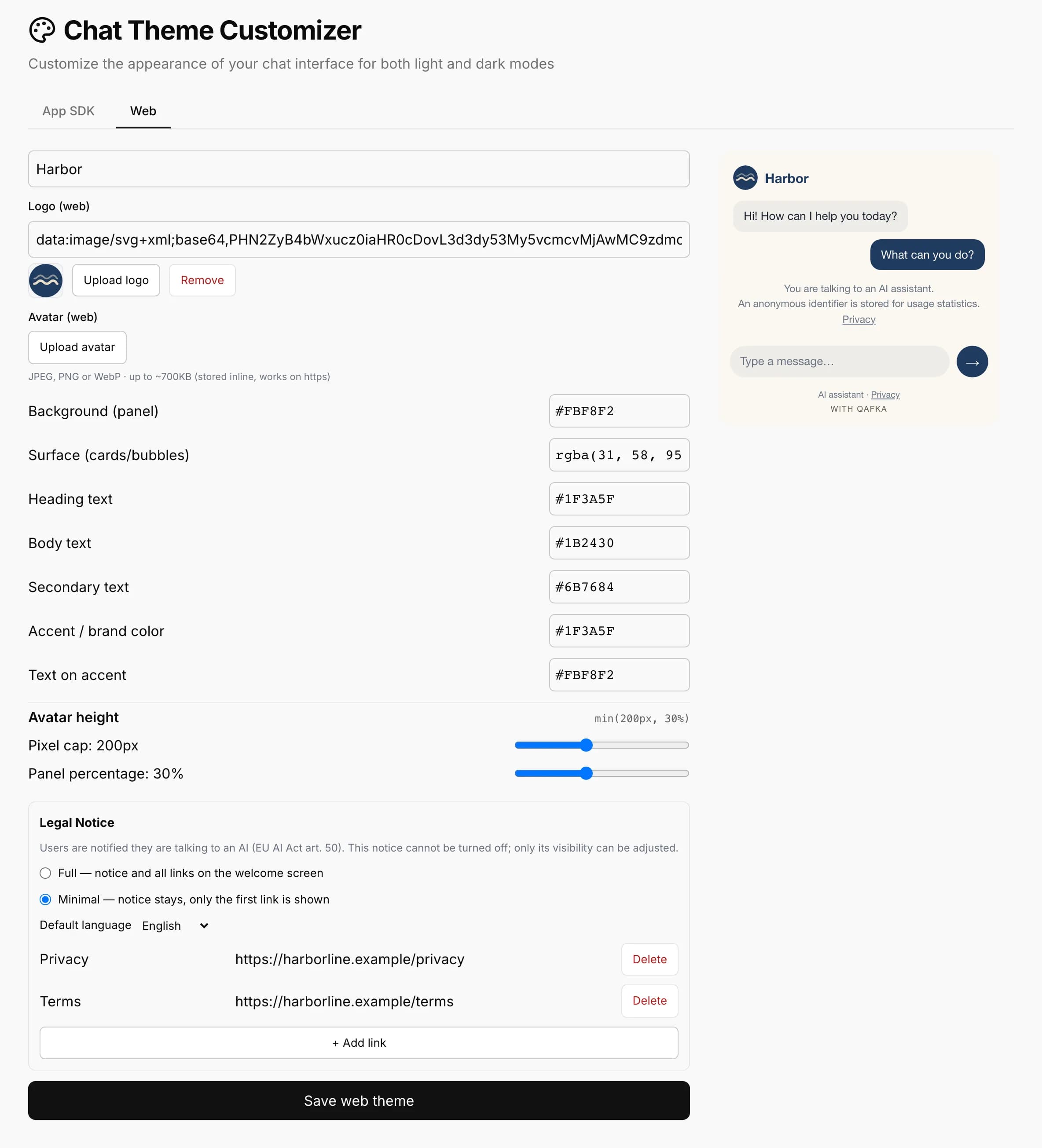
A separate editor and live preview for the Web SDK, with its own semantic color tokens (background panel, surface, heading text, body text, secondary text, accent color, and text-on-accent) rather than the App SDK’s per-element fields, plus a slider pair controlling the avatar hero image’s height (a pixel cap and a viewport-percentage floor, so it scales sensibly on short windows).
Legal Notice
The Web tab also has a legal-notice card. The web widget always discloses to the visitor that they’re talking to an AI (required under the EU AI Act, Article 50) — this notice can’t be turned off, only its visibility: full (the disclosure text and all configured legal links, e.g. terms, privacy, on the welcome screen) or minimal (the disclosure text stays, but only the first link is shown). You can also set a default language for the notice — automatic, Turkish, or English — and manage the legal links themselves.
Layering
Three layers apply in order — base theme (light/dark, chosen by the SDK’s theme prop) → this dashboard config → code-level themeOverride. See the Theming guide for the full merge order and the themeOverride surface.
If a change can be made from the dashboard, do it here — no app release needed, and it takes effect for new sessions once saved. Reach for themeOverride only for per-screen or runtime-conditional cases the dashboard can’t express.
Sub-Projects
A sub-project has its own Chat Theme Override page (App SDK only — there’s no separate Web tab there). Anything you set on it is merged on top of the parent project’s theme, field by field, rather than replacing it wholesale — but saving the sub-project’s editor writes every field for both light and dark mode, so once you save, the sub-project stops inheriting those fields from the parent in either mode; a later change to the parent’s theme won’t flow through to that sub-project. See Sub-Projects.