API Keys
Manual API keys for the project. See API Key Security for what each key type is for, how it authenticates, and its rate limits — this page covers the dashboard UI for creating and managing them.
The dashboard marks manual key creation as transitional. App identities for attestation now live on the Mobile Apps page — production React Native apps don’t need a Production key.
Key Types
| Type | Prefix | Purpose |
|---|---|---|
| Production | qafka_prod_ | Secret — for production mobile traffic. Production React Native apps typically don’t need one at all: they authenticate via device attestation instead. |
| Test | qafka_test_ | Secret — development and simulator/emulator use, where attestation can’t run. |
| Web | qafka_pk_ | Public by design — the key the CDN snippet and the npm publishableKey use. Meant to sit in your page source. |
Which types you can create depends on your plan’s available channels (mobile, web).
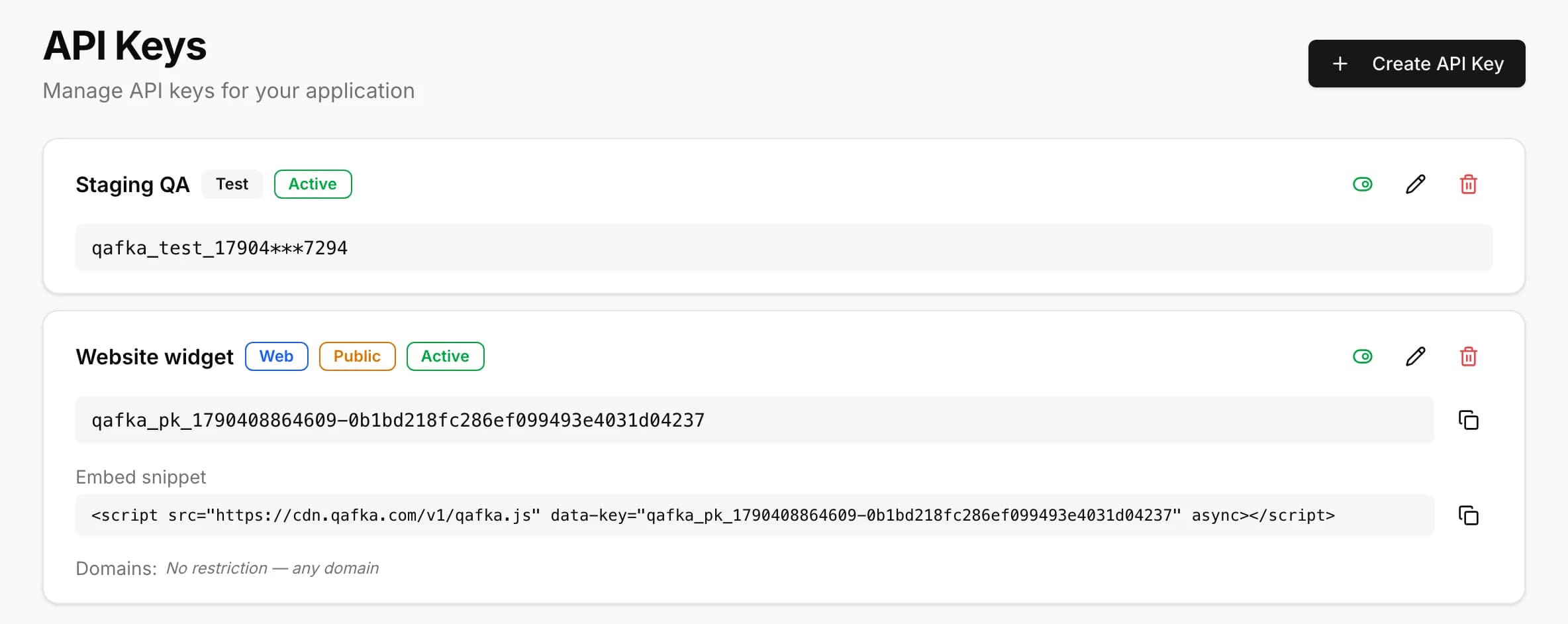
Creating a Key
- Name — required, for your own reference in the list.
- Type — pick one of the types your plan allows.
Production / Test:
- Platform — iOS and/or Android. Required for Production; optional for Test.
- iOS Bundle ID and Apple Team ID — required if iOS is selected on a Production key (Apple Team ID is set once at the project level and reused for every key after that).
- Android Bundle ID — required if Android is selected on a Production key.
- Bind to bundle ID (Test only, shown when a bundle ID is set) — on by default; when on, the Test key only authenticates from requests presenting that bundle ID, so a leaked key can’t be used from another app.
Web:
- If the project has no Websites entries yet, the form asks Which website will your agent run on? instead — the address you enter here is registered as the project’s own site before the key is created.
- Otherwise, an Advanced → Restrict this key to specific websites section lists the project’s Websites entries as checkboxes. Leave them all unchecked to allow the key on any of the project’s registered websites; check specific ones to narrow this particular key to just those. A key’s restriction can only narrow what Websites already allows — checking a site here doesn’t register it or allow it on its own.
The plaintext key is shown once, right after creation — for Production and Test, that’s the only time you’ll see it in full; the dashboard shows a masked value afterward. A Web key is the exception: since it’s meant to be public, the dashboard shows it in full (with a copy button) for as long as it’s active, along with a ready-to-copy embed <script> snippet.
Editing a Key
The edit dialog lets you rename the key and, for non-Web keys, manage Android Signing Certificates (SHA-256) — add or remove the certificate hashes the key should accept for Android requests. Everything else (type, platforms, bundle IDs, Team ID, website restrictions) is read-only after creation.
If a Web key is restricted to a website that’s no longer on the Websites list — removed or renamed there — the key’s Edit dialog shows a warning next to that domain: the key won’t work there until the site is added back.
There’s no rotate action in the dashboard. To replace a Production key, create a new one and delete the old one — see Activate / Deactivate below for how deletion works.
Activate / Deactivate
Toggling a key off deactivates it (requests stop authenticating) without deleting it, so you can turn it back on later. Deleting is permanent and requires typing the key’s name to confirm.
Test Key Auto-Rotation
Test keys rotate automatically every 30 days — a daily job rotates the key in place (same id, name, and restrictions; only the secret changes) with no overlap window, so the previous value stops working immediately. If a Test key leaks, delete or deactivate it on this page, then run qafka project on the affected machine to issue a fresh one.